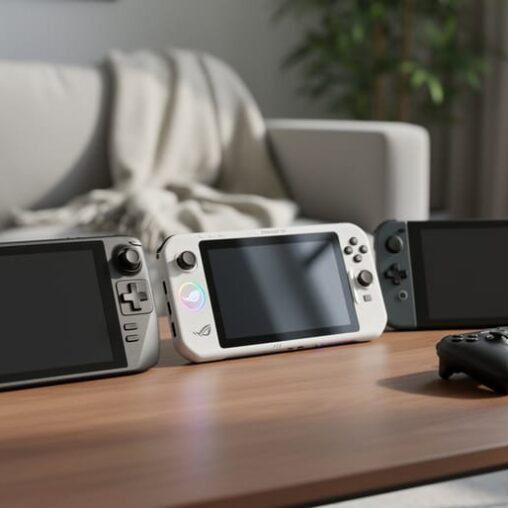
Rent the Steam Deck OLED first if you want the fullest handheld PC experience, and rent a Nintendo Switch if you’d rather keep things simple and affordable. That’s our verdict after putting the options side by side. The Steam Deck gives you a big library of PC games on the go, while the Switch is the easy pick for pick-up-and-play sessions, couch co-op and family-friendly fun. Either way, renting beats guessing, because grip comfort, screen feel and battery habits only reveal themselves in your own hands.
Canadian providers make trying before buying easy. Game Traders Club offers Steam Deck rentals with an option to buy, and Switch rentals turn up at local shops and rental outlets, some bundled with a dock, controllers or games. Details like deposits, ID and age requirements vary, so confirm them with the provider before you book.
At our esports event setups, we’ve seen how fast the right handheld becomes the hit of a lounge area. Below, we break down how each console performs, what each option includes, and who should rent which.
Steam Deck OLED vs. ROG Xbox Ally vs. Switch at a Glance
Here’s the quick version: the Switch is the easiest first rental, the Steam Deck OLED is the pick for a big library, and the ROG Xbox Ally is worth a look if you want an Xbox-flavoured handheld. We kept this table to what’s verified and flagged everything else for you to confirm.
| Handheld | Best for | Library style | Rental availability notes |
|---|---|---|---|
| Steam Deck OLED | Players who want a deep library and the option to buy | PC library on the go | Rent-with-option-to-buy listings for the 1TB model exist at Game Traders Club; confirm current stock with the provider |
| ROG Xbox Ally | Players drawn to the Xbox ecosystem | Xbox-linked handheld experience | Check with your rental provider for availability and rental details |
| Nintendo Switch / Switch OLED | Families, casual players and local multiplayer | Console-style, pick-up-and-play games | Listings include controllers, games or a dock depending on the shop; confirm exactly what’s in the bundle |
A few things stand out. The Switch rentals we found tend to come as ready-to-play bundles, which is why we call it the lowest-friction way to test handheld life. The Steam Deck OLED is the one to rent if you’re already curious about buying, since its listings are built around a try-before-you-buy model. And the ROG Xbox Ally is the one where you’ll want to ask questions before you plan a weekend around it.
Rental terms, pricing periods and what’s included vary by listing, so confirm the details with the provider before you commit. We break all of that down in the comparison sections below.
What Each Portable Console Is
Steam Deck OLED: The PC Library in Your Hands
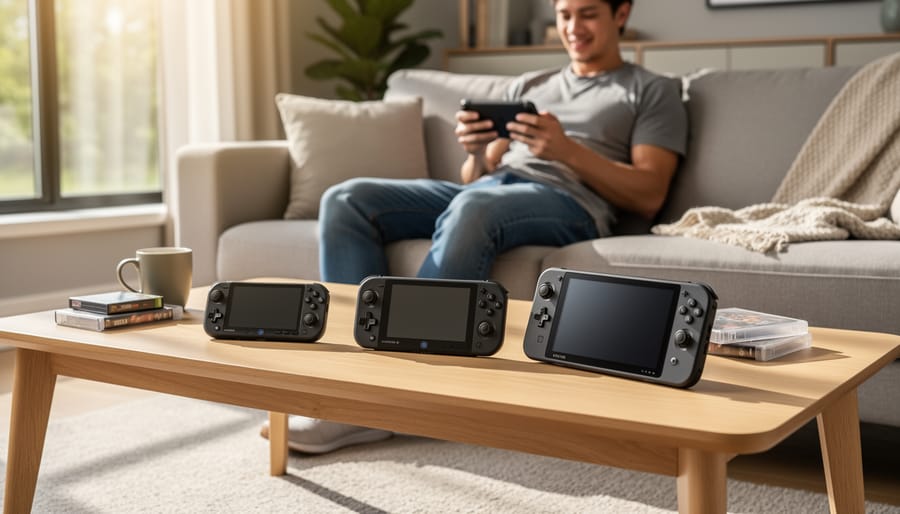
Steam Deck OLED is the handheld for players who want a big PC-style library in their hands. We found it suits anyone who likes tinkering, switching between games and keeping a lot installed at once.
- Steam Deck OLED
- Valve’s handheld PC with an OLED screen, built to play your Steam library on the go.
- Valve Steam Deck 1TB OLED
- The top storage tier of the OLED model, and the variant Game Traders Club lists for rental with an option to buy.
- Handheld PC
- A portable device that runs PC games and software, rather than a closed console library.
That 1TB variant matters if you’re storage-hungry. Big downloads and a growing library fit comfortably, so a rental week isn’t spent deleting games to make room. Rent-with-option-to-buy listings also let you test it before committing.
ROG Xbox Ally: The Xbox-Flavoured Handheld
The ROG Xbox Ally sits in the handheld PC camp, which means it’s built to feel like an Xbox in your hands rather than a traditional console. If you already live in the Xbox ecosystem, that familiarity is the big draw. Think of it as the option for players who want a Windows-style handheld in the mix without leaving their Xbox habits behind.
One practical note from our side: rental listings for newer handhelds can be hit or miss. We haven’t verified current rental availability for this one, so confirm directly with providers before you plan your test week around it. A quick call or message will tell you whether it’s on the shelf.
Nintendo Switch and Switch OLED: The Grab-and-Go Classic
The Switch is the easiest handheld to rent first, and in our testing it’s the one that needs the least explaining. Pop it in the dock for the big screen, or lift it out and play on the move, no fuss. Listings from Rental City include the console and dock, and GT Games in Almonte notes controllers and games come along too. That means local multiplayer is ready the moment you open the box, which is why it’s the console we’d hand to a first-timer. The Switch OLED adds a richer screen for handheld sessions. Confirm exactly what’s included with your provider before you book.
Rental Price and Terms Compared, Dimension by Dimension
Price and Rental Terms
Rental windows are where handheld shopping gets practical, and in our experience weekly terms tend to be the norm for consoles like these. Listings differ in how they quote the period, so always confirm whether a price covers a day, a weekend or a full week before you commit.
The Steam Deck is the interesting case. Game Traders Club offers it as a rental with an option to buy, which suits anyone who wants to live with the hardware before deciding. That’s a different mindset from a straight rental: you’re auditioning the console, and if the library and the comfort win you over, the path to ownership is already there. The same shop also lists a Valve Steam Deck 1TB OLED version under the same try-before-you-buy model, so ask which variant is available when you call.
Switch rentals are simpler. Shops such as GT Games in Almonte and Rentownrto list Switch and Switch OLED rentals, and AJ Game Rental sets a 3-day minimum. That matters for a weekend test run: a Friday-to-Sunday trial fits that window, so plan your session around it. If you’re also curious about playing your PC library on a handheld, try Moonlight streaming during the rental week.
Deposit and ID requirements aren’t confirmed in the listings, so ask before you book.
What’s in the Box: Accessories, Docks and Games
When you rent a handheld, the contents of the box matter as much as the console itself. Based on the listings we reviewed, Switch rentals tend to be the most complete. GT Games in Almonte includes controllers and games with its Switch rental, and Rental City’s bundle pairs the console with a Nintendo Switch dock. That makes a Switch a true plug-and-play option for TV time with friends.
The Steam Deck listings we found read differently. They describe the handheld itself, including the 1TB OLED rental with an option to buy, but don’t spell out extras. So treat everything beyond the console as a question to ask rather than an assumption.
Before you book any handheld, confirm these with the provider:
- Charger and charging cable, including whether the wattage suits the device.
- Carry case or protective sleeve for commuting.
- microSD card or other extra storage, and what’s already installed.
- Dock and HDMI cable if you plan to play on a TV.
- Extra controllers, and which games come with the rental.
A quick call or message sorts this out in minutes and saves you from a surprise on day one.
Availability and Location Coverage Across Canada
Rental options for portable consoles aren’t one-stop-shop territory. What we found is a patchwork of regional shops and online providers, each with its own stock. GT Games in Almonte, for example, rents out the Nintendo Switch with controllers and games, which is great if you’re local but no help if you’re not. Others work online, like Game Traders Club, which says it rents with an option to buy almost anything you can think of, on or off its website.
Because every provider holds its own inventory, availability can shift without warning. A handheld you spotted on a listing might already be out on rental, so call or message ahead before you plan around it. Ask whether the exact model you want is in stock, which accessories come with it, and what the rental terms are.
We wouldn’t assume any single shop covers the whole country. Treat each listing as a starting point, confirm the details directly, and line up your test run before the weekend you want to play.
Pros and Cons of Renting Each Handheld
Every handheld here is a good rental, and each one asks a slightly different trade from you. From our hands-on time with this style of gear, here’s how the pros and cons shake out for a renter.
Pros
- The Switch and Switch OLED are the easiest to pick up and play, and rental listings often bundle the console with a dock, controllers or games.
- The Steam Deck OLED opens up a broad game library, and rent-with-option-to-buy listings let you test it before committing.
- Every handheld here works as a grab-and-go console, so you can test it on a commute and then dock it for a TV session.
- The ROG Xbox Ally appeals to players who want an Xbox-flavoured handheld to try for themselves.
Cons
- The Steam Deck has more of a learning curve, so expect to spend part of your rental week on setup, storage and settings.
- The Switch library is smaller than a PC-style handheld’s, so players hunting for a specific title should check it’s available first.
- Rental terms and included accessories vary by provider, so ask about cases, chargers and microSD cards instead of assuming.
- ROG Xbox Ally rental availability isn’t something we can confirm, so check directly with your provider.
Notice how much of the friction comes from the rental, not the hardware. Stock moves around between regional shops and online providers, and listings differ on what’s in the box. A quick call before you commit saves a wasted trip.
The Switch rewards players who want zero fuss. The Steam Deck rewards the ones willing to tinker for a deeper library. The ROG Xbox Ally is worth a look if the Xbox ecosystem is your home turf.
Our team spends a lot of time evaluating gear for tournaments, and the same logic applies here: test the thing in the conditions you’ll actually use it. That’s the mindset behind every event broadcasting setup we run, and it works just as well for choosing your next handheld.
What to Test During Your Rental Week
A rental week works best when you treat it like an audition. Put each handheld through the habits you actually have, not a quick spin around the home screen. Event organizers do the same thing before a tournament or live stream: they run gear through real conditions long before game day, and you can borrow that mindset.
- Comfort: play a full session and note any hand cramping or awkward button reach.
- Screen: check visibility near a window or outdoors, not just in a dim room.
- Battery: use it on a real commute and see how often you reach for the charger.
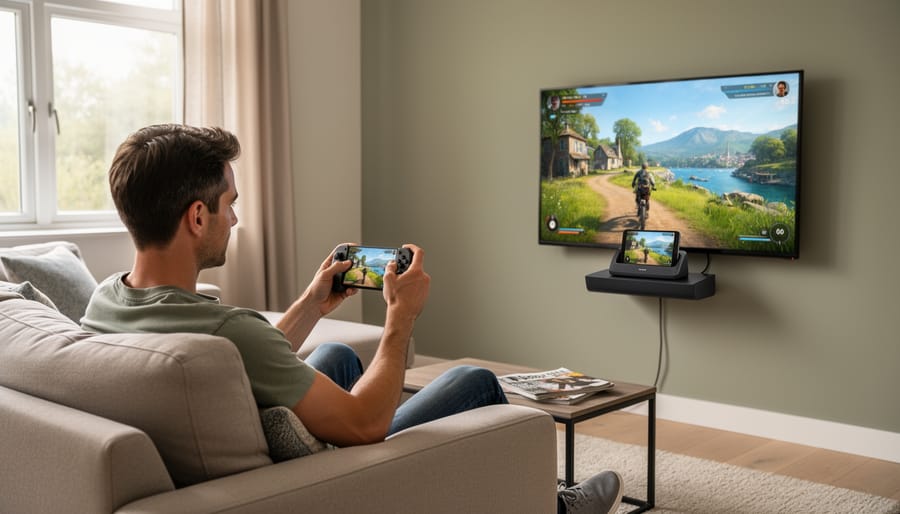
- Docked play: connect it to a TV and confirm the controllers and setup feel easy.
- Game access: try your favourite genres, including roleplaying games, on the small screen.
- Buy-or-return: decide whether you’d miss it after you hand it back.
Don’t skip the library question. Some games shine on a handheld, while others feel cramped, so test the ones you’d play most. It’s also worth weighing cloud gaming vs renting if you mostly play online and wonder whether dedicated hardware is worth it. By the end of the week, your gut will usually tell you whether it belongs in your bag.

Which Portable Console Should You Choose?
Your best rental depends on how you play. After comparing these handhelds hands-on, here’s how we’d match each one to a player.
Rent the Switch or Switch OLED if you play with family, friends or a casual crowd. It’s the easiest to hand to someone who has never picked up a controller, and the familiar local-multiplayer games make it a natural first rental. Some listings bundle controllers, games or a dock, which keeps setup simple.
Rent the Steam Deck OLED if you want the widest library and love tinkering with your setup. Rental with an option to buy is offered for the Steam Deck, so a trial week can turn into a purchase if it clicks. For a broader look at the field, see the best handhelds 2026.
Rent the ROG Xbox Ally if the Xbox ecosystem is your home turf. Rental listings for it are less established, so confirm availability, terms and requirements with the provider before you plan around it.
Running a tournament, office event or party? Canadian Game Rentals handles console and kiosk hire, so a whole group can play at once without anyone bringing their own gear.
Portable Console Rental FAQ
Can you rent a Steam Deck in Canada?
Yes, some Canadian shops offer it. Game Traders Club lists a Steam Deck 1TB rental and a Valve Steam Deck 1TB OLED rental, both with an option to buy. Stock can change, so confirm availability before you plan around it.
Can you buy a Steam Deck after renting it?
With Game Traders Club’s “Try Before You Buy” listings, yes, that’s the whole idea. Ask the shop how the buying option works before you commit.
Do Switch rentals include controllers and games?
It depends on the listing. GT Games in Almonte says its Switch rental includes controllers and games, and Rental City’s bundle includes the console and the dock. Always ask what’s in the box.
What do you need to rent a handheld console?
Requirements vary by provider, so ask about deposits, ID and age rules before you book. We wouldn’t guess at policies that each shop sets on its own.
Got a question that isn’t covered here? Rental terms are the one thing to confirm with the shop itself, and a quick call or message usually clears it up before you pick up your handheld.
Here’s the bottom line: if you’re eyeing a handheld, rent first and buy second. The Switch is the easy grab-and-go pick, the Steam Deck OLED rewards players who want a big library and some tinkering, and the ROG Xbox Ally suits anyone drawn to the Xbox side of things. A rental week tells you more than any spec sheet ever will.
Ready to level up? Canadian Game Rentals has the console, tournament and live-streaming event know-how to keep your next game night or competition running smoothly. Reach out and let’s build it together.