
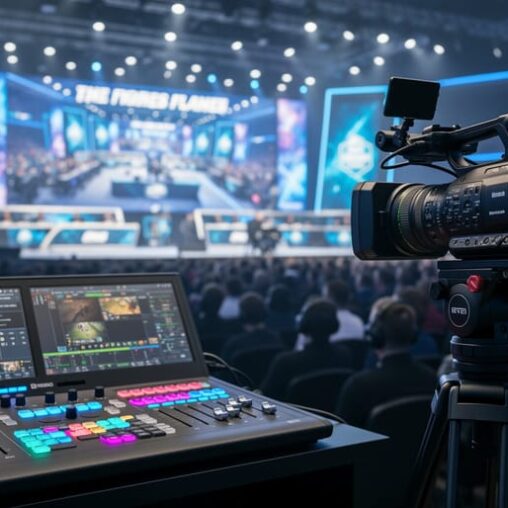
Professional broadcasting transforms a gaming competition from a local match into a compelling spectator experience that rivals traditional sports coverage. At its core, production broadcast combines multi-camera setups, real-time graphics overlays, instant replays, and professional commentary to create polished content that keeps audiences engaged whether they’re watching in-person or streaming from thousands of miles away.
The difference between amateur and professional esports broadcasts isn’t just aesthetic. Quality broadcasting directly impacts viewer retention, sponsor value, and the perceived legitimacy of your event. When viewers can follow every play through dynamic camera angles, understand the action through clear commentary, and access real-time statistics, they stay engaged longer and return for future events.
For event organizers and campus coordinators planning their first major tournament or corporate clients evaluating broadcast solutions, understanding which features matter most can mean the difference between a forgettable stream and one that builds your brand. The right broadcasting setup scales with your ambitions, from single-station showmatches to multi-stage tournaments with thousands of concurrent viewers. Success comes from matching technical capabilities with your specific event goals and audience expectations.
Why Broadcasting Quality Makes or Breaks Your Gaming Event
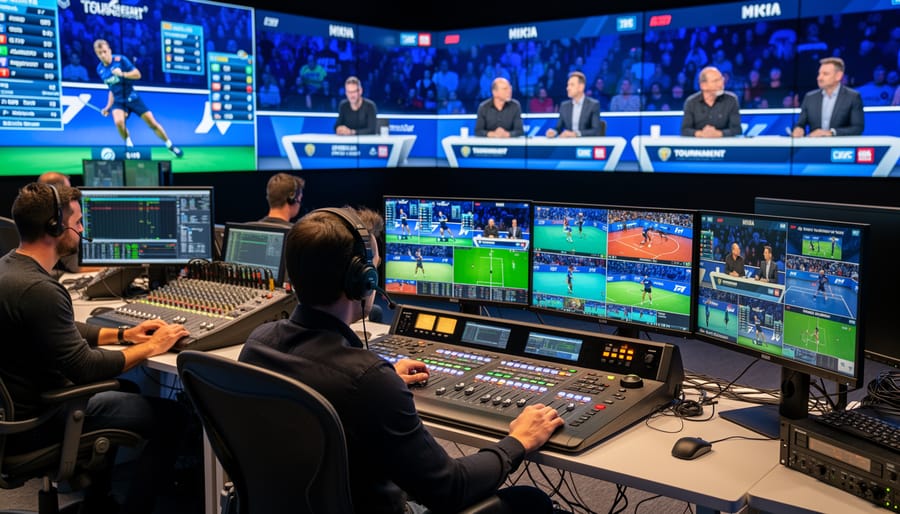
Picture this: your gaming tournament is packed with talented players going head-to-head in intense matches, but your stream keeps freezing, the audio cuts in and out, and viewers can’t read the scoreboard because the overlay is pixelated. Within minutes, your viewer count drops by half. That’s not just a technical hiccup, it’s your event’s reputation taking a direct hit.
The numbers don’t lie. Research shows that quality boosts audience engagement dramatically, with viewers spending three times longer watching professional-grade streams compared to amateur productions. When participants see their gameplay captured with crisp visuals, clear audio, and dynamic camera angles, they’re not just competing anymore, they’re performing. That shift in mindset transforms your event from a casual get-together into something people actively want to be part of.
Professional broadcasting creates legitimacy. Sponsors take you seriously when your production looks polished. Players share clips on social media when they look like esports pros. Spectators stick around when they can actually follow the action without squinting at blurry screens or struggling to hear what’s happening.
Poor production does the opposite. Laggy streams tell viewers their time isn’t valued. Muddy audio suggests you cut corners. Missing graphics or dead air between matches screams unprofessional. For the players, seeing their performance poorly captured can be genuinely disappointing, they trained hard, and the broadcast should reflect that effort. Your broadcasting quality isn’t a luxury detail; it’s the foundation that determines whether people remember your event as forgettable or phenomenal.
Essential Broadcasting Features Every Gaming Event Needs
Multi-Stream Camera Integration
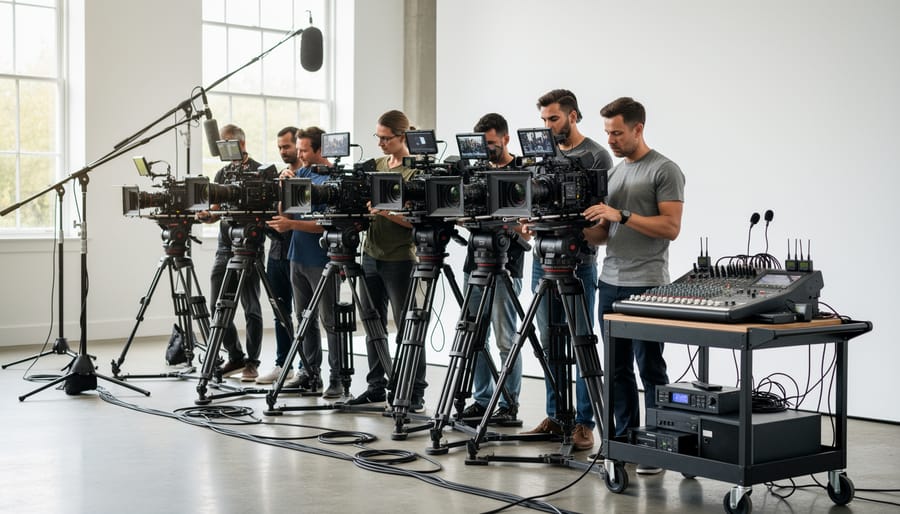
Professional gaming broadcasts capture the action from multiple angles simultaneously, creating that high-energy viewing experience you see on major esports streams. At its core, multi-stream camera integration combines three distinct video feeds: gameplay capture cards showing the screen action, facial cameras focused on player reactions, and wide-angle shots capturing audience energy and event atmosphere.
The gameplay feed is your primary source, typically captured through HDMI splitters or dedicated capture cards that grab the console or PC output at 1080p60fps or higher. Layer that with player face cams positioned at screen level to catch those genuine moments of triumph and frustration, these close-ups build emotional connection with viewers who want to see the concentration and celebration behind the gameplay. For larger events, add a third layer with PTZ (pan-tilt-zoom) cameras covering the crowd, the overall tournament floor, or reaction shots from spectators. This three-layer approach mirrors professional broadcasts and keeps viewers engaged by varying what they see.
Your broadcast software needs proper equipment setup to switch between these feeds smoothly or display them in split-screen layouts. Programs like OBS Studio or vMix handle multiple inputs, letting you create picture-in-picture arrangements where the main gameplay dominates with smaller windows showing player faces. The result transforms a single static screen into a dynamic production that captures every angle of the competition.
Live Tickers and Real-Time Graphics
Live scoreboards and stat overlays turn passive viewers into engaged fans by delivering critical information exactly when it matters. During intense gaming moments, audiences shouldn’t need to guess who’s winning or how close the match is. Real-time graphics put that data front and center.
Professional overlays include more than basic scoreboards. They display player names, team logos, current round scores, kill-death ratios, and match timers. Advanced setups integrate sponsor branding seamlessly while tracking individual performance metrics that tell the story behind each play. When a player pulls off a clutch move, seeing their stats update live amplifies the excitement.
These graphics systems range from simple streaming software overlays to sophisticated broadcast-grade solutions that pull data directly from game APIs. The sweet spot for most events combines pre-designed templates with manual control, letting operators highlight key moments and update information without delays.
Position matters too. Place persistent elements like scores in screen corners where they won’t obstruct gameplay, while reserving center-screen space for intermission stats and player spotlights. The goal is enhancing the viewing experience, not cluttering it.
Audio Engineering for Clear Commentary
Audio quality separates amateur streams from professional broadcasts, viewers will tolerate average video before they’ll endure poor sound. Your audience needs to hear every call-out, reaction, and strategic breakdown without straining, which means balancing three distinct audio layers: gameplay audio that establishes atmosphere, commentary that provides context and excitement, and ambient crowd noise that adds energy without overwhelming the primary sources.
Start with dedicated microphones for commentators positioned three to four inches from their mouths, using dynamic mics to minimize background bleed. Set gameplay audio approximately 20-30% lower than commentary in your mixing board, viewers should hear ability triggers and action cues without losing commentator analysis. Study proven commentary examples to understand how professional casters modulate their delivery for optimal audio capture.
Crowd and ambient noise adds authenticity but requires careful gating. Use a compressor on ambient mics to prevent sudden volume spikes during intense moments, keeping audience reactions present but secondary to the main broadcast. Monitor your mix constantly through headphones during the event, adjusting levels as energy shifts. Poor audio engineering kills engagement faster than technical glitches, invest time in soundchecks and create a mixing template you can refine across multiple events.
Streaming Platform Optimization
Your broadcast can look incredible on your local monitors but still disappoint viewers if your stream settings don’t match the platform’s requirements. Each major streaming platform, Twitch, YouTube Gaming, Facebook Gaming, has different technical sweet spots that determine whether your audience sees crisp gameplay or a pixelated mess.
Start with your bitrate: the amount of data your stream sends per second. Twitch caps most streamers at 6,000 kbps, while YouTube allows up to 51,000 kbps for 1080p60fps streams. Running at maximum bitrate doesn’t guarantee quality, though. Your upload speed needs to exceed your bitrate by at least 35% for stability. A 6,000 kbps stream requires roughly 8,100 kbps upload speed minimum.
Encoding matters just as much. Hardware encoding (NVENC for NVIDIA, AMF for AMD) produces lower latency with minimal performance impact on your gaming machines. Software encoding through x264 delivers superior image quality but demands serious CPU power that most gaming setups can’t spare during live competition.
Set your keyframe interval to exactly two seconds for most platforms, this ensures smooth playback and quick recovery if viewers experience connection hiccups.
Platform-Specific Broadcasting Considerations
Each console platform presents unique broadcasting challenges that directly affect your stream quality and setup complexity. Understanding these differences before your event prevents last-minute technical scrambles and ensures smooth broadcasts.
Xbox consoles offer the most straightforward broadcasting path. Native integration with platform streaming services simplifies basic setups, though serious tournament broadcasts still benefit from dedicated capture cards. The Xbox Series X and S support 4K60 output, but you’ll need HDMI 2.1-capable capture hardware to maintain that resolution without introducing latency. Party chat audio can be split easily for commentary mixing, making multi-person casting setups more manageable.
PlayStation broadcasting comes with tighter restrictions. Sony’s HDCP protection blocks standard capture devices during certain game sequences unless explicitly disabled in system settings, a step that’s critical but easily overlooked. The PS5’s native streaming features work for casual broadcasts, but tournament-grade production demands external capture solutions. Audio routing proves trickier than Xbox, often requiring separate audio interfaces to capture both game sound and voice chat cleanly.
Nintendo Switch presents the biggest broadcasting hurdles. The console lacks native streaming support entirely, making capture cards mandatory rather than optional. Here’s what you need to know about broadcasting from each platform:
- Xbox: Supports native streaming apps, capture cards recommended for tournaments, straightforward audio splitting
- PlayStation: Requires HDCP disable for external capture, complex audio routing, strong native streaming features
- Nintendo Switch: No native streaming, capture card essential, limited to 1080p60 output maximum
- All platforms: Budget $150-400 for reliable capture cards, test connections minimum 24 hours before events
The Switch’s dock-only video output means portable mode gameplay can’t be broadcast without specialized, and expensive, modded capture solutions. Its 1080p60 output ceiling won’t stress modern capture cards, but the lack of built-in streaming tools means your entire production runs through external equipment. Factor this into your setup timeline, especially for events featuring multiple Switch stations.
Setting Up Your Broadcast for Different Event Types
Campus Esports Tournaments
Campus tournaments demand broadcasting that balances professional presentation with the energy of student competition. Multi-station setups work best here, position cameras to capture both gameplay and the social atmosphere that makes collegiate esports unique. Feature individual players through picture-in-picture overlays showing their reactions during clutch moments, which creates personal investment for spectators who know these competitors.
Educational environments benefit from broadcast features that highlight learning opportunities. Incorporate commentary explaining strategic decisions rather than just play-by-play action. Display participant names, majors, and team affiliations prominently through lower-third graphics, this transforms anonymous players into relatable student athletes and builds campus-wide recognition for your esports program. Consider recording broadcasts for later review in gaming courses or recruitment materials.
Corporate Gaming Events
Corporate gaming events demand a polished broadcast approach that balances competitive energy with professional branding. Your stream becomes both entertainment and corporate asset, executives reviewing footage expect clean production that reflects their company’s standards.
Brand integration works best when subtle: incorporate company logos into lower-thirds, scoreboards, and scene transitions without overwhelming the gaming content. Custom overlays featuring corporate colors maintain visual consistency while keeping focus on the competition.
Commentary shifts toward inclusivity here. Unlike campus tournaments where players understand meta-strategies, corporate participants range from hardcore gamers to casual players. Your broadcast team should explain mechanics simply, celebrate creative plays over technical perfection, and highlight team dynamics that reinforce the team-building purpose.
Record everything in high quality. Companies often repurpose tournament footage for internal communications, recruitment materials, and social proof of their workplace culture.
Public Gaming Kiosks and Activations
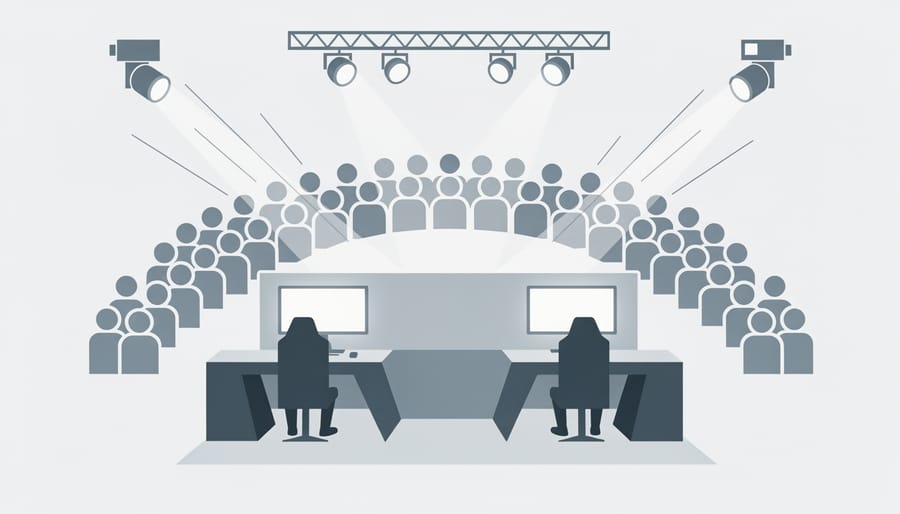
Public gaming kiosks thrive on spectacle. When you’re competing for attention against hundreds of other booths at a convention or fighting to stop mall traffic, your broadcast setup becomes your primary marketing tool. Position large displays at eye level facing foot traffic, not just for players, but for passersby who need a reason to stop.
Your broadcast strategy here differs fundamentally from tournament setups. You’re not telling a competitive story; you’re creating visual energy that pulls people in. Run fast-rotating highlight reels during downtime rather than blank screens. Keep score overlays minimal but use bold graphics that read clearly from fifteen feet away. Audio matters more than you’d think, clean commentary or energetic game sound draws curious crowds better than silent displays.
Consider queue management in your broadcast design. Show current player info and estimated wait times directly on stream. When people can see themselves on-screen while they wait, they stay engaged and patient. For retail activations, integrate brand messaging naturally into your overlays without overwhelming the gaming content. The broadcast should enhance the experience, not advertise over it, visitors came for gaming first.
What Professional Broadcasting Equipment Actually Costs
Understanding the real costs of broadcasting equipment helps you budget effectively and avoid overspending on unnecessary features or cutting corners that compromise quality.
Entry-Level Setup ($500-$1,500): Perfect for campus tournaments and small-scale events, this tier includes a basic capture card, single camera, USB microphone, and streaming software. You’ll get clean gameplay capture and commentary, but limited multi-camera capabilities and basic graphics overlays. This works well for regular weekly tournaments where production simplicity matters more than broadcast complexity.
Mid-Tier Configuration ($2,000-$5,000): The sweet spot for most gaming events, this level adds multiple cameras, a video mixer or streaming deck, professional microphones with audio interface, and dedicated graphics software. You gain the ability to switch between camera angles, integrate branded overlays, and deliver significantly more polished viewer experiences. Corporate events and monthly championships typically target this range.
Tournament-Grade Production ($7,000-$15,000+): Reserved for major competitions and high-profile corporate activations, this tier features multiple professional cameras, dedicated video production switchers, professional lighting rigs, advanced audio mixing boards, and custom graphics packages. The production quality rivals what you see on major esports broadcasts, but requires experienced operators to maximize the investment.
Most organizers find success starting mid-tier, then scaling up based on event growth and sponsor requirements rather than jumping straight to tournament-grade equipment.
The difference between a forgettable gaming session and an unforgettable esports experience often comes down to one factor: broadcast quality. Professional production features don’t just make your event look better, they fundamentally change how participants feel about competing and how audiences connect with the action.
Whether you’re organizing a campus tournament, planning a corporate team-building event, or launching a public gaming activation, the broadcasting setup you choose sets the tone for everything that follows. Multi-camera angles make players feel like stars. Live graphics keep spectators invested in every round. Clean audio ensures commentary enhances rather than distracts from the competition.
The investment in professional broadcasting pays dividends beyond the event itself. High-quality recordings become promotional content for future events. Participants share clips that showcase their skills. Sponsors see their brands associated with polished, professional productions.
Ready to transform your next gaming event from a casual gathering into a proper esports experience? Our team specializes in bringing tournament-grade broadcasting to events of all sizes. Let’s talk about how the right production features can elevate your vision into reality.