
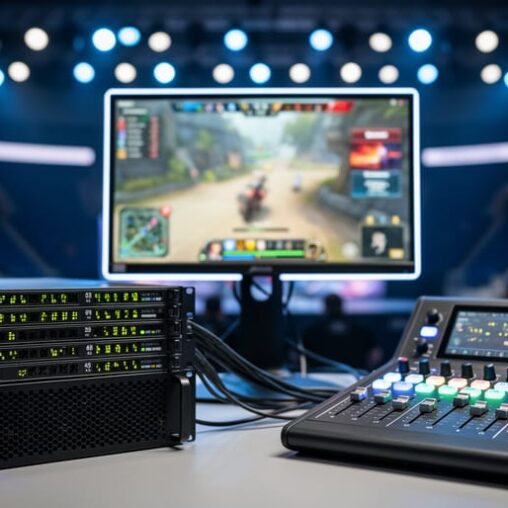
A YouTube broadcaster is a tool or software that enables content creators and production teams to stream live video content directly to YouTube, transforming raw video feeds into professional-quality broadcasts with features like multi-camera switching, overlays, commentary mixing, and real-time graphics. In the esports world of 2026, YouTube broadcasting has evolved far beyond hitting a “go live” button on your phone. Tournament organizers and gaming event planners now rely on sophisticated broadcast solutions to deliver the polished, high-energy viewing experiences that modern esports audiences expect.
The distinction matters because professional YouTube broadcasting for gaming events requires specific technical knowledge and production infrastructure that casual streaming doesn’t demand. Whether you’re running a regional League of Legends qualifier or a multi-day fighting game tournament, knowing how broadcast encoders, streaming protocols, and production switchers work together on YouTube’s platform determines whether your event looks amateur or arena-ready. This guide breaks down exactly what YouTube broadcasting entails technically, explores the different broadcast approaches available to esports productions, and shows you how to apply these tools to create compelling tournament coverage that keeps viewers locked in from the first match to the grand finals.
What YouTube Broadcasting Means for Gaming Events
YouTube broadcasters are content creators who transmit live video from gaming events and esports competitions directly to audiences watching on the YouTube platform. Unlike casual streamers who might broadcast from a bedroom setup, professional YouTube broadcasters treat gaming events like televised sports productions, complete with multiple camera angles, commentary teams, instant replays, and sponsor graphics. The distinction matters for tournament organizers and event hosts who want to deliver a polished viewing experience that keeps audiences engaged and reflects well on brands.
When planning a gaming event, understanding the terminology helps you communicate with broadcast teams and make informed technical decisions:
- YouTube broadcaster
- A person or team transmitting live gaming content to YouTube using professional production equipment and software. They manage the technical and creative elements of the stream.
- Live streaming
- Real-time video transmission where viewers watch gameplay as it happens, with minimal delay between the action and what appears on screen.
- VOD (video on demand)
- Recorded versions of live streams that viewers can watch later. YouTube automatically saves broadcasts for replay and highlight creation.
- Stream quality
- Video resolution and bitrate settings that determine how crisp and smooth the broadcast appears, ranging from 720p to 4K for gaming content.
- Concurrent viewers
- The number of people watching your stream simultaneously at any given moment, a key metric for measuring event reach and engagement.
YouTube’s platform provides tournament organizers with scheduling tools, chat moderation features, and analytics dashboards that track viewer engagement throughout multi-hour events. The platform handles the heavy technical lifting of distributing your video to thousands of viewers worldwide, while your broadcast team focuses on creating compelling content that showcases the competition and keeps fans invested in the outcome.
How YouTube Broadcasting Works for Esports Events
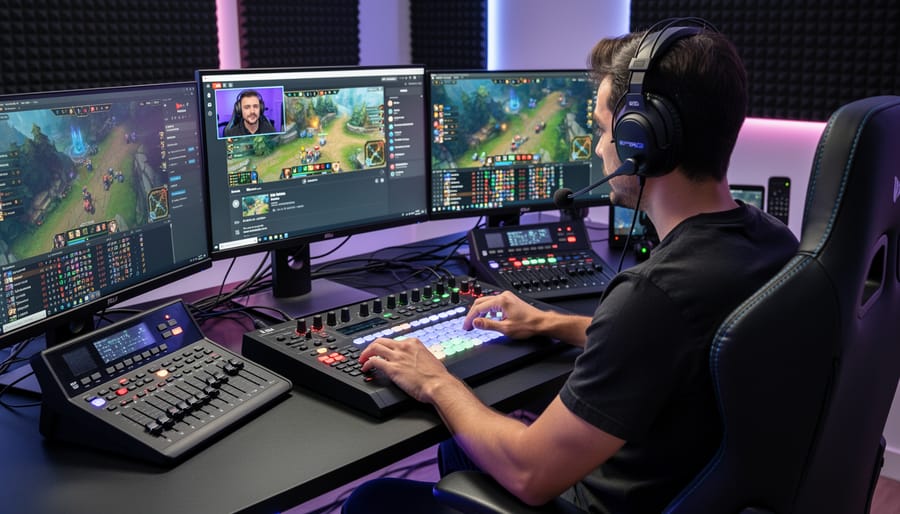
The Technical Setup
Getting your gaming content live on YouTube requires more than hitting a broadcast button. You need a solid technical foundation that connects your gameplay to the platform.
Start with a capture card, the bridge between your gaming console or PC and your broadcasting computer. The Elgato HD60 S+ and AVerMedia Live Gamer Portable remain popular choices for 2026, capturing gameplay at 1080p60fps without lag. Console players connect HDMI cables from Xbox, PlayStation, or Nintendo Switch directly into the capture card, which then feeds into your broadcasting machine.
For encoding software, OBS Studio dominates the free option space with powerful customization, while Streamlabs offers a more user-friendly interface with built-in alerts and overlays. Both handle the heavy lifting of encoding your video and audio into a format YouTube accepts. You’ll need a streaming key from your YouTube channel settings, think of it as your unique broadcast address, which you paste into your encoder software to establish the connection.
Your broadcast equipment setup also requires decent internet upload speeds. Plan for at least 10 Mbps upload for reliable 1080p streaming, though 20+ Mbps gives you headroom for quality spikes.
Professional production broadcast in esports often adds dedicated streaming PCs to separate gameplay performance from encoding workload, preventing frame drops during intense tournament moments.
Going Live and Managing Your Stream
Once your encoder connects to YouTube, hitting the “Start Streaming” button initiates a 5-10 second buffer before you actually go live. Use this window to verify your game audio, check camera angles, and confirm all overlays display correctly.
Monitor your stream health through YouTube’s built-in dashboard, which shows real-time metrics: current bitrate, dropped frames, and viewer count. If dropped frames exceed 5%, you’re likely experiencing network instability. Most encoders also provide local stats showing CPU usage and encoding performance.
Chat management during tournaments requires dedicated personnel. One person can’t effectively commentate, handle technical issues, and moderate chat simultaneously. Assign a moderator to filter spam, answer viewer questions, and relay important feedback to your production team.
When technical problems strike mid-stream, communicate immediately. Tell viewers you’re addressing the issue rather than leaving them staring at a frozen screen. Keep backup equipment ready: spare HDMI cables, a secondary internet connection, and an alternative encoder profile with lower bitrate settings.
Stream delay typically runs 10-15 seconds on YouTube. Factor this into any real-time interactions or announcements. If you’re coordinating with on-site spectators, they’ll see action before online viewers do.
Essential Broadcast Production Features for Gaming
Visual Production Elements
Professional gaming broadcasts rely heavily on visual layers that transform a raw gameplay feed into engaging content. The foundation starts with graphics overlays that frame the action, lower thirds displaying player names and team affiliations, tournament brackets showing match progression, and sponsor logos positioned strategically without obscuring critical gameplay areas.
Player cameras add personality and emotional context to competitive moments. Positioned typically in screen corners, these face cams capture reactions during clutch plays, victory celebrations, and tense decision-making. Multi-camera setups for team competitions can show entire rosters simultaneously, creating dynamic switching between individual players during pivotal moments.
Scoreboards and stat trackers provide crucial context for viewers. Live updating scores, kill counts, round timers, and match statistics keep audiences informed without requiring constant commentary explanation. Advanced setups integrate real-time game data feeds that automatically populate these elements.
Transitions maintain flow between gameplay segments, interviews, and analysis sections. Clean wipes, animated stingers, and branded bumpers give broadcasts a cohesive feel while covering technical switches between scenes or camera sources.
Branding elements tie everything together, consistent color schemes matching team or event identity, animated logos, and custom graphics packages that reinforce sponsor relationships. Tournament organizers often develop complete visual themes that carry through opening sequences, intermission screens, and closing segments, creating memorable viewing experiences that distinguish amateur streams from professional productions.
Audio and Commentary Features
Clear audio separates amateur streams from professional productions. Your audience will tolerate occasional video lag, but muddy sound or commentary buried under game explosions drives viewers away instantly.
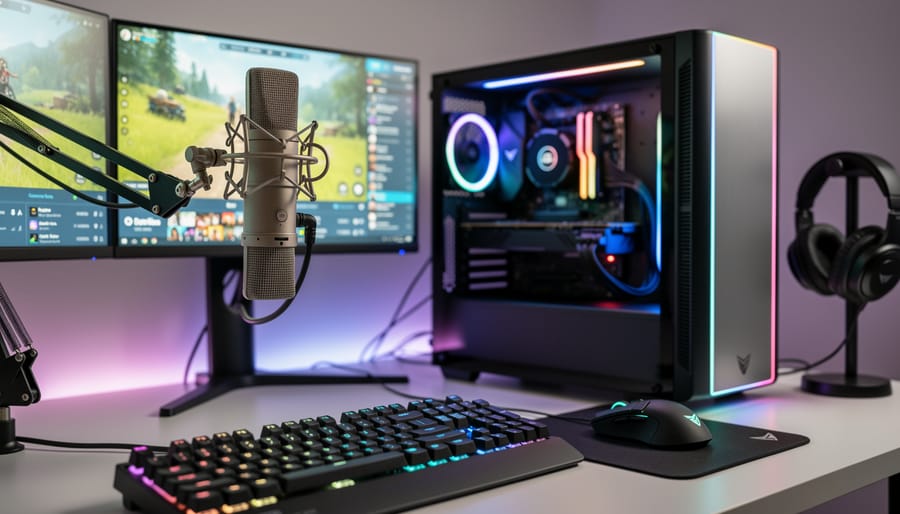
Start with dedicated microphone setups for each commentator. USB condenser mics like the Audio-Technica AT2020 provide broadcast quality without XLR mixer complexity. Position mics 6-8 inches from speakers’ mouths and use pop filters to eliminate harsh plosives during excited calls. For multi-commentator booths, individual audio tracks let you balance voices in post or adjust levels mid-stream when one personality speaks softer than their co-host.
Commentary mixing requires deliberate layering. Your play-by-play and color commentary should sit clearly above game audio, typically 8-10 decibels louder during active calls. Most encoding software includes audio ducking that automatically lowers game sound when commentators speak, preventing cluttered audio where ultimate ability sounds drown out critical analysis. Study professional esports commentary examples to hear how broadcast teams balance hype moments with clear communication.
Game audio balancing varies by title. Fighting games need crisp hit confirms audible through commentary. Battle royales require spatial audio cues that help viewers track action across the map. Create separate audio channels for game sound, commentary, music overlays, and alert effects so you can adjust each independently during live broadcasts.
Crowd integration adds atmosphere to tournament streams. Ambient crowd mics capture energy without overwhelming commentary, while isolated reaction shots let you punch up hype moments. Position crowd microphones to catch cheers without picking up individual conversations or unwanted background noise.
Types of Gaming Broadcasts on YouTube
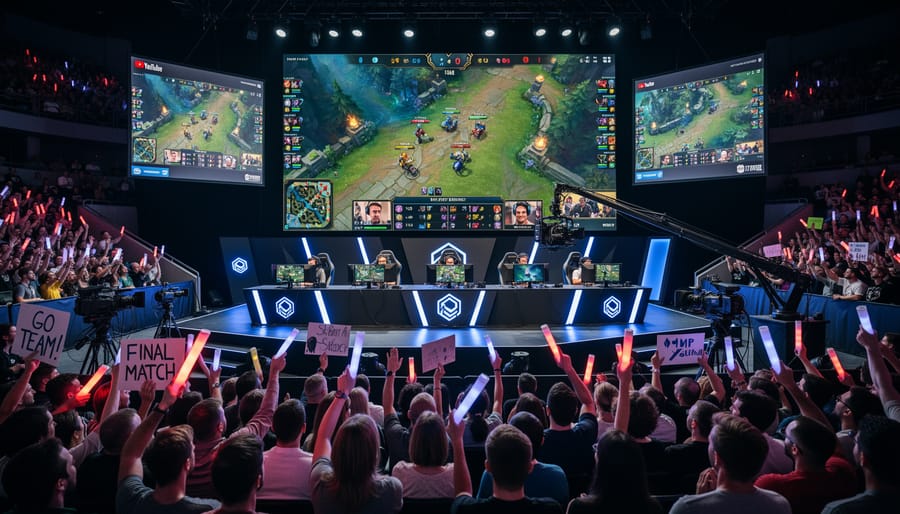
Gaming broadcasts on YouTube come in several distinct formats, each serving different audiences and production goals. Understanding these types helps event organizers and content creators choose the right approach for their specific needs.
Casual Gameplay Streams represent the most common format. These typically feature individual gamers playing through titles while providing commentary, tips, or entertainment. The production setup stays minimal, a single camera, basic microphone, and straightforward software. While these streams work well for building personal audiences, they lack the polish expected at professional gaming events.
Professional Tournament Coverage operates at a completely different level. These broadcasts feature multiple camera angles, dedicated commentary teams, instant replays, and sophisticated graphics packages displaying scores, player statistics, and sponsor branding. Tournament streams require coordinated production crews managing camera operators, technical directors, and commentators working together to deliver broadcast-quality content. This format dominates major esports competitions and regional championships.
Corporate Gaming Events blend professional production with business objectives. Companies hosting product launches, team-building competitions, or marketing activations need broadcasts that reflect their brand standards. These events typically incorporate custom overlays matching corporate identity, professional hosts, and seamless integration of branded elements throughout the stream.
Campus Esports Competitions fill a growing niche between casual and professional broadcasting. Universities and colleges running gaming leagues need production quality that exceeds basic streaming while staying within educational budgets. These broadcasts often feature student commentary teams, school branding, and modest production setups that still deliver engaging viewer experiences.
Exhibition Matches and Showcases serve promotional purposes, demonstrating new games, hardware, or gaming experiences to interested audiences. These broadcasts emphasize visual quality and clear communication about what viewers are seeing, often including interviews, product demonstrations, and interactive elements that standard competitive streams might skip.
Each format demands different technical capabilities, staffing levels, and production expertise to execute effectively.
How Organizations Use YouTube Broadcasting for Gaming Events
Tournament and Competitive Events
Esports tournaments demand broadcast setups that can handle fast-paced action, multiple camera angles, and real-time statistics without dropping frames or losing viewer engagement. YouTube broadcasting gives tournament organizers tools to deliver professional esports broadcasting that matches what fans expect from major competitions. Multi-day tournaments benefit from YouTube’s unlimited streaming duration and automatic VOD archiving, letting fans catch matches they missed and creating evergreen content for sponsors.
The platform’s live chat and Super Chat features turn viewers into active participants, with commentators reading questions during breaks and sponsors running giveaways through chat interactions. Production teams can switch between player POV streams, main broadcast feeds, and analysis desks while overlaying live brackets, player stats, and sponsor logos. For regional qualifiers or campus leagues, the same broadcast quality that top-tier events use becomes accessible, giving smaller competitions a polished presentation that attracts sponsors and builds audience loyalty.
Corporate and Campus Gaming Events
Corporate team-building events and campus esports programs increasingly leverage YouTube broadcasting to create memorable gaming experiences that extend beyond the physical venue. Companies hosting Mario Kart tournaments or Super Smash Bros competitions for employee engagement use professional broadcast setups to stream simultaneously to remote offices, turning local events into company-wide spectacles that strengthen culture across distributed teams.
University esports leagues benefit particularly from YouTube’s accessibility, broadcasting weekly campus tournaments builds community among students while attracting prospective players. The recorded broadcasts serve double duty as recruitment tools and archived content for campus media departments.
Branded gaming activations at trade shows and conferences rely on YouTube streaming to amplify their booth presence beyond the show floor. A well-produced broadcast featuring custom overlays with sponsor logos transforms a simple gaming kiosk into content that reaches thousands of potential customers watching remotely. The professional production quality signals legitimacy, making these events feel more significant than casual gameplay sessions while generating shareable content that extends the event’s marketing value long after it ends.
Common Questions About YouTube Broadcasting
Stepping into professional-quality YouTube broadcasting for gaming events raises practical questions, here’s what tournament organizers, event planners, and esports teams ask most often.
What internet speed do I need for smooth YouTube gaming broadcasts?
Upload speeds of 10-15 Mbps handle 1080p broadcasts comfortably, while 4K streaming requires 35-50 Mbps upload. Wired ethernet connections beat Wi-Fi every time for stability during competitive events.
How much does a professional broadcast setup cost?
Basic setups start around $1,500-$2,000 including capture cards, decent microphones, and lighting, while tournament-grade systems with multiple cameras, production switchers, and professional audio run $8,000-$15,000. Rental options let you access high-end equipment without the upfront investment.
Should I choose YouTube or Twitch for my gaming event?
YouTube offers better discoverability through search and recommendations, making it ideal for one-time tournaments or events where you want long-tail viewership. Twitch excels for building dedicated communities and offers slightly lower streaming latency, which matters for highly interactive streams.
Can I monetize my esports broadcasts on YouTube?
Yes, once you meet YouTube Partner Program requirements (1,000 subscribers, 4,000 watch hours). Revenue comes from ads, Super Chat donations during streams, channel memberships, and sponsor integrations you arrange separately.
Most equipment questions boil down to balancing quality against budget. A single gaming console with a decent microphone gets you started, but multi-camera tournament setups justify the investment when presentation quality directly impacts sponsor value and viewer retention. Chat moderation tools matter more than most organizers expect, active moderation keeps your event professional and welcoming, especially during high-stakes matches when emotions run hot.
YouTube broadcasting for gaming events isn’t just about hitting the “go live” button, it’s about creating an experience that keeps viewers engaged and reflects the professionalism of your organization. The difference between a basic stream and a polished broadcast shows in every overlay, every camera angle, and every audio mix. Quality production separates casual content from events that audiences remember and return to.
When you’re planning your next tournament or gaming activation, think beyond the gameplay itself. Consider how broadcast features like instant replay, multi-camera setups, and clean graphics will shape what viewers see and how they perceive your event. Professional broadcasting doesn’t just look better, it positions your organization as a serious player in the esports space and creates the kind of viewer experience that builds loyal audiences.